
How to Teach Responsible AI Use in Schools
Students need more than a warning not to copy from AI. They need repeated practice asking whether an AI response is accurate, appropriate, private, fair, and useful for learning.
For middle and high school educators, transition programs, digital citizenship lessons, and student success teams.
Start with decisions, not just definitions
An AI tool can generate a polished answer, but fluent writing is not the same as trustworthy evidence. A useful lesson gives students a realistic decision: Is this claim supported? What should I check? Would using this tool help me learn, or would it replace the work I am supposed to do?
Schools have different rules about permitted AI tools, student accounts, and academic work. Before asking students to use any tool, follow your school's policies, age restrictions, accessibility procedures, and privacy requirements. The activities below can be taught with teacher-written sample responses on paper, without students creating accounts or entering personal information.
Five habits students can practice
- Define the task before opening a tool. Ask students to describe what they are trying to learn, decide, or create. Identify what thinking they need to do themselves.
- Check claims against independent sources. Underline factual statements in a sample AI answer. Compare each important claim with a primary source, a current reference, or another source appropriate to the topic. Record what was confirmed, disputed, or still uncertain.
- Protect private information. Discuss why names, passwords, student records, health information, private messages, and sensitive details should not be placed into unapproved tools. Practice rewriting a prompt to remove unnecessary personal information.
- Show your own reasoning. Have students explain which ideas came from their own thinking, which support came from a tool, and which sources they checked. Follow the actual assignment and school rules for acknowledgment or citation.
- Know when not to use AI. Compare a task where brainstorming support might be appropriate with one where the teacher needs to assess independent performance. Students should be able to explain the difference.
A 20-minute classroom activity: Verify the convincing answer
Materials: one teacher-written, AI-style response of 100–150 words containing three checkable claims, at least one unsupported claim, and a source list or suggested references; a fact-check recording sheet; access to preapproved references or printed source excerpts.
- Minutes 0–3: Display the response without labeling which claims are reliable. Ask students: “What makes this answer sound convincing?”
- Minutes 3–8: In pairs, highlight three claims and mark the evidence each would require. Invite students to identify any missing context or uncertain wording.
- Minutes 8–15: Compare the claims with the approved references. Students record the claim, the source actually checked, and a verdict: supported, contradicted, or not yet verified.
- Minutes 15–18: Revise one sentence to reflect what the evidence actually supports, including uncertainty where needed.
- Minutes 18–20: Exit ticket: “What would you verify before trusting a similar answer tomorrow?”
Accessibility and differentiation: Offer enlarged print, read-aloud support, sentence starters, fewer claims, or visual checkboxes as appropriate. Advanced students can compare conflicting sources or discuss how an answer's framing might omit relevant perspectives.
A second discussion: When is AI assistance appropriate?
Offer three scenarios: (1) using AI to generate possible job-interview practice questions; (2) asking AI to complete an independently graded personal reflection; (3) using AI to simplify unfamiliar vocabulary before checking an assigned source. Ask students to sort each scenario into “may be useful if permitted,” “requires teacher clarification,” or “not appropriate under this assignment.”
Have groups justify their choices using the teacher's actual directions rather than assuming one universal rule. The central skill is judgment: students should be able to explain how the purpose of the task changes what responsible use looks like.
What should school teams decide before adopting AI activities?
Instructional leaders and teachers can agree on which tools are approved, what information must never be submitted, how students are expected to acknowledge assistance, and how teachers will evaluate independent learning. These decisions should be documented in school-controlled guidance; a purchased workbook does not replace local policies.
A useful pilot begins small. Choose a lesson aligned with a real instructional need, observe student explanations rather than simply counting completed pages, and revise the approach based on what students can actually demonstrate.
Extend the lesson with Real Life Ready Book 11
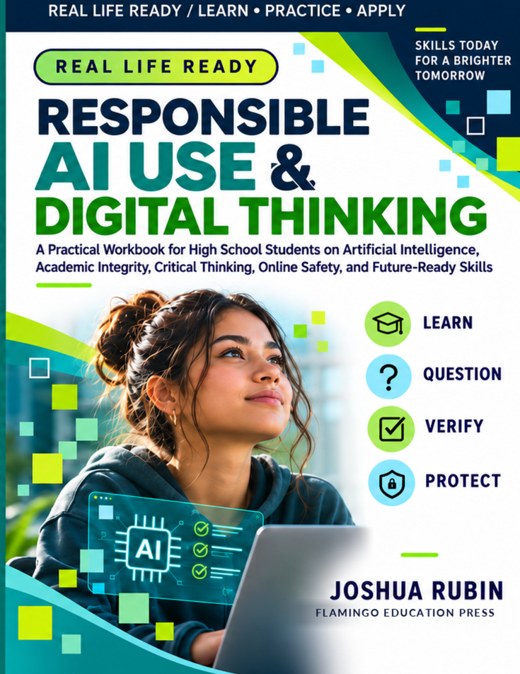
Responsible AI Use & Digital Thinking is a 134-page full-color student workbook with 108 hands-on activities across 12 units. It offers structured opportunities for students to practice evaluating AI responses, making privacy choices, and explaining responsible digital decisions.
The workbook is a practical teaching resource, not a substitute for a school's AI policy or independent curriculum evaluation.
Related educational resources
- Digital Citizenship & Online Safety for High School Students
- Transition Skills for High School Students
- Executive Function Skills for High School Students
Educational information for planning purposes. Teachers should apply their institution's current AI, privacy, accessibility, and academic-integrity requirements.
More lessons about responsible AI
Explore a focused lesson or school-team guide on a related topic.